- Página de inicio /
- Productos de oficina /
- Material de oficina y escolar /
- Labels, Indexes & Stamps /
- Labels & Stickers /
- Laser & Inkjet Printer Labels /
- Dymo LabelWriter 550 Direct Thermal Printer w...
0 ratings









Nº de artículo:
54582074
Dymo LabelWriter 550 Direct Thermal Printer with Automatic Recognition for Address, Shipping and Barcode Labels | EU Plug
Nº de artículo:
54582074
CLP 180521
Price Details
Excluding Shipping & Custom charges ( Shipping and custom charges will be calculated on checkout )
*All items will import from Estados Unidos
7%
En stock
 Importado de la tienda USA
QTY:
Haz tu pedido ahora y recíbelo por ahí Monday, Julio 20
Secured transaction
Ubuy works hard to protect your security and privacy. Our advanced payment security system ensures confidentiality by encrypting your information during transmission using AES (Advanced Encryption Standards) and SSL (Secure Socket Layer) protocols. Your payment details are 100% secure as we do not share your payment details with third party sellers.
Our Top Logistics Partners


Print your labels quickly, accurately and effortlessly with DYMO LabelWriter 550

Fast
Shipping

Free
Return*

Secure Packaging

100% Original Products

PCI DSS Compliance

ISO 27001 Certified


Note: Step Down Voltage Transformer required for using electronics products of Estados Unidos store (110-120). Recommended power converters Comprar ahora.


What Stands Out
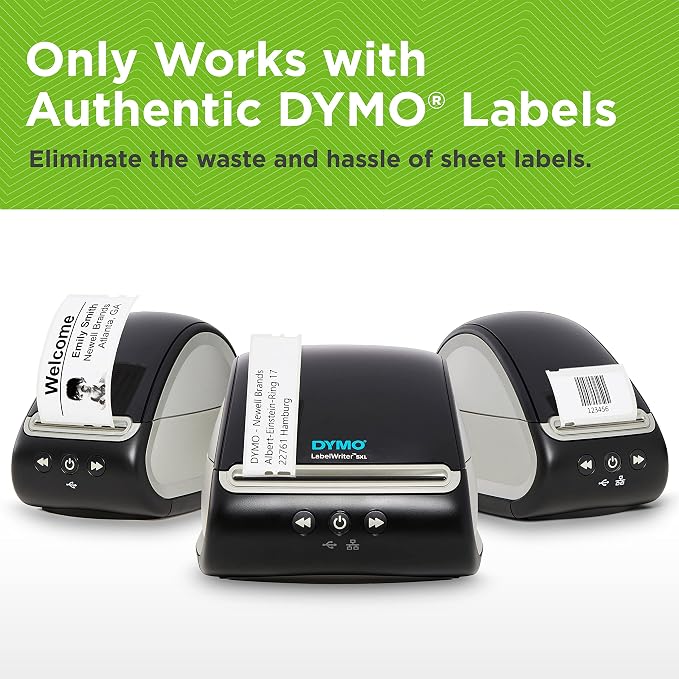
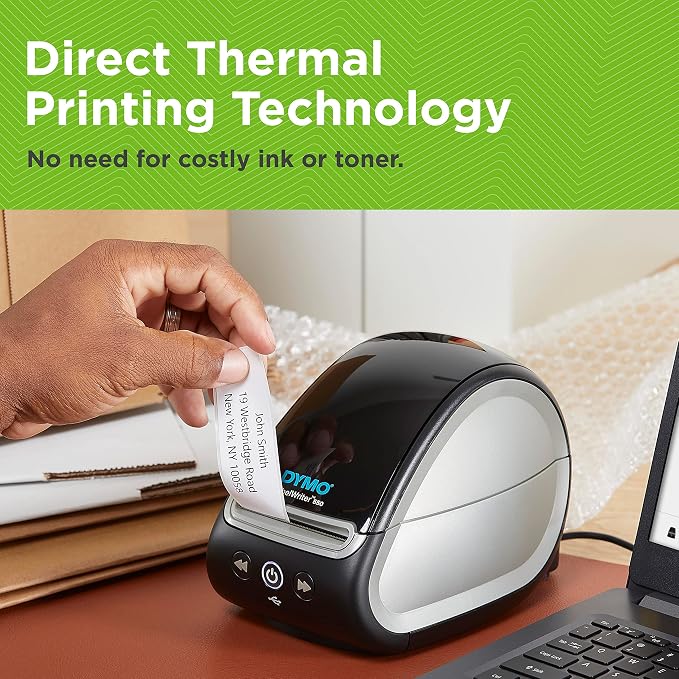
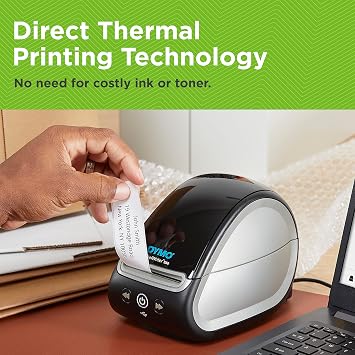
Direct Thermal Printing
Eliminates the need for ink, ensuring cost-effective and maintenance-free operation while providing crisp, clear labels that enhance the presentation of any items you need to label.
Automatic Label Recognition
Streamlines the labeling process by automatically recognizing the label size and type, helping users save time and reducing errors when creating labels for various applications.
Versatile Functionality
Perfectly suited for printing address, shipping, and barcode labels, making it an ideal choice for small businesses and home offices seeking efficient and reliable labeling solutions.
Detalles de producto
- Dymo LabelWriter 550 Direct Thermal Printer with Automatic Recognition for Address, Shipping and Barcode Labels | EU Plug.
- Direct thermal printing: No ink or toner needed; uses thermal technology for cost-effective, smudge-free printing
- Automatic label recognition: Automatically detects label size and type for seamless printing without manual adjustments
| Printer Type | Thermal |
| Other Special Features of the Product | Video Recording |
| Printer Output Type | Monochrome |
| Item Weight | 1 Kilograms |
| Item Dimensions D x W x H | 4.33"D x 5.91"W x 4.72"H (11 x 15 x 12 cm) |
| Controller Type | Android |
| Print media | Labels |
| Maximum Copy Speed Black and White | 62 ppm |
| Compatible Devices | Camera, Smartphones |
| Ink Color | Black |
| Additional Printer Functions | Print Only |
| Control Method | App |
| Number of Trays | 1 |
| Processor Count | 1 |
| Number of Drivers | 1 |
| Resolution | 300 x 300 |
| Number of Licenses | 1 |
| Color | Black |
| Maximum Print Resolution Black and White | 300 dpi |
| Dual-sided printing | No |
| Duplex | Automatic |
| Maximum Copy Resolution Black and White | 300 dpi |
| Brand | DYMO |
| Model Name | 2112722 |
| Model Number | 2112722 |
| Built-In Media | Labels |
| Series Number | 5 |
| Model Series | LabelWriter 550 |
| Specific Uses For Product | Mailing and Shipping, Asset Tracking, Nametag, Specialty, Pricetag |
| Manufacturer | Dymo-CoStar Corp |
| Unit Count | 1.0 Count |
| B&W Pages per Minute | 65 |
| Maximum Media Size | 300 x 300 ppp |
| Maximum Sheet Capacity | 10 |
| Paper Size | 1 inches (2.5 cm) |
| Output sheet capacity | 10 |
| Printer Connectivity Type | USB |
| Hardware Interface | USB |
| Total USB 2.0 Ports | 1 |
| Total Usb Ports | 1 |
| Connectivity Technology | USB |
| Printing Technology | Thermal |
| Special Feature | Video Recording |
| Printer Output | Monochrome |
| Max Printspeed Monochrome | 65 |
| Product Dimensions (L x W x H) | 4.33"D x 5.91"W x 4.72"H (11 x 15 x 12 cm) |
What's in the box
Labels
Who Should Buy?

-
Small Businesses
Ideal for small business owners needing efficient label printing for products, shipping, and organization.
-
Home Offices
Perfect for remote workers who need to print address labels and organization labels to streamline their workspace.
-
Retailers
Excellent for retailers requiring barcode labels for inventory management and product identification in stores.

-
High Volume Users
Not suitable for users needing to print labels in very large quantities, as speed and capacity may limit productivity.
-
Casual Users
Casual users who infrequently need labels may find this printer excessive and underutilized for their needs.
-
Non-EU Users
Users outside the EU may face compatibility issues with the included EU plug, requiring additional adapters or solutions.
DESCRIPCIÓN DEL PRODUCTO
¿Tienes alguna consulta? Chatea con nosotros
Preguntas y respuestas de los clientes
-
Pregunta:
What types of labels can the Dymo LabelWriter 550 print?
Respuesta: The Dymo LabelWriter 550 is capable of printing a variety of labels including address labels, shipping labels, and file folder labels. The printer uses direct thermal printing technology, ensuring high-quality output without the need for ink or toner. This feature makes it ideal for both personal and professional uses, such as organizing documents, sending packages, or creating labels for products. Its automatic label recognition allows for seamless label selection, streamlining your labeling tasks. -
Pregunta:
Is the Dymo LabelWriter 550 compatible with macOS and Windows?
Respuesta: Yes, the Dymo LabelWriter 550 is compatible with both macOS and Windows operating systems. This cross-compatibility allows users from different backgrounds to utilize the printer easily. Whether you're creating labels on a Mac for personal projects or on a Windows PC for a business, you can rely on the Dymo LabelWriter for consistent performance and quality. It connects via USB, making it a straightforward addition to your existing office setup. -
Pregunta:
How does automatic label recognition work in the Dymo LabelWriter 550?
Respuesta: The automatic label recognition feature in the Dymo LabelWriter 550 identifies the size and type of labels being used, allowing for quick and accurate printing. When you load labels, the printer scans them and adjusts settings accordingly, such as label size and properties. This helps prevent printing errors and makes the label-making process faster, ensuring you can create correct labels for envelopes, shipments, or organizational purposes without any complications. -
Pregunta:
What is direct thermal printing, and how does it benefit the Dymo LabelWriter 550?
Respuesta: Direct thermal printing is a technology that uses heat to produce an image on specially coated thermal paper. This method is beneficial for the Dymo LabelWriter 550 as it eliminates the need for ink or toner, making it cost-efficient and low-maintenance. Users enjoy clear, sharp labels that are resistant to smudging and fading. It's ideal for on-demand printing, allowing businesses and individuals to create labels quickly and efficiently without worrying about supplies running out. -
Pregunta:
Can the Dymo LabelWriter 550 print barcodes?
Respuesta: Yes, the Dymo LabelWriter 550 can print various types of barcodes, making it a versatile tool for businesses. Whether you're labeling inventory, products, or assets, the printer supports different barcode formats including UPC, QR codes, and more. This functionality enhances inventory management and product tracking, allowing businesses to streamline processes and improve accuracy in their operations. It allows easy integration into existing systems for label creation. -
Pregunta:
What is the print speed of the Dymo LabelWriter 550?
Respuesta: The Dymo LabelWriter 550 boasts a print speed of up to 71 labels per minute, depending on the label type and settings used. This fast printing capability makes it a reliable choice for high-volume labeling tasks, which is beneficial in busy office settings or retail environments. Users can print numerous labels in a short period, ensuring efficiency and productivity in their workflow when sending out packages or organizing files. -
Pregunta:
What label sizes are compatible with the Dymo LabelWriter 550?
Respuesta: The Dymo LabelWriter 550 supports a wide range of label sizes, including standard address sizes, shipping labels, and custom sizes, giving users flexibility for various labeling needs. The printer can handle label widths from 0.75 inches to 2.2 inches, making it perfect for a variety of applications, whether it's mailing letters, labeling products, or organizing office supplies. This versatility allows users to easily adapt to any labeling project effortlessly. -
Pregunta:
How do I set up the Dymo LabelWriter 550?
Respuesta: Setting up the Dymo LabelWriter 550 is straightforward. Simply remove it from the box, connect it to your computer using the included USB cable, and install the necessary software from the Dymo website. Follow the instructions to load the labels, and you’ll be ready to start printing. With its user-friendly interface and intuitive software, you can quickly create your labels. This ease of setup makes it accessible for both novice and experienced users, maximizing productivity from the start. -
Pregunta:
How can I customize labels using the Dymo LabelWriter 550?
Respuesta: Customizing labels with the Dymo LabelWriter 550 is simple, thanks to the Dymo software that accompanies the printer. Users can choose from a variety of fonts, sizes, and colors, and even add graphics or images to their labels. This customization is particularly useful for branding in a business setting, where labels can feature logos or specific designs. Personalization also extends to residential use, enabling users to create unique labels for gifts, organization, or crafts. -
Pregunta:
Where can I buy the Dymo LabelWriter 550 Label Printer?
Respuesta: You can buy the Dymo LabelWriter 550 Label Printer from Ubuy in Chile. Ubuy offers a convenient online shopping experience where you can find this label maker along with easy access to various label supplies. Whether you're looking for bulk purchasing options or individual items, Ubuy provides a reliable platform for getting the latest printing technology to enhance your labeling tasks.
DYMO Laser & Inkjet Printer Labels 2112722 Editorial Review
No se encontraron reseñas editoriales
Customer Reviews & Ratings
657 valoraciones de los clientes
-
5 estrella
55%
-
4 estrella
15%
-
3 estrella
6%
-
2 estrella
5%
-
1 estrella
19%
Revisar este producto
Comparte tus ideas con otros clientes
Platform Trust & Buyer Confidence

MT
Mohd
Verified buyer
“The product received very good packaging & safe…Thank You”
16 June 2026 · via Trustpilot
SJ
Shawati
Verified buyer
“Accurate delivery timing given”
16 June 2026 · via Trustpilot
YB
Youcef
Verified buyer
“Not madly expensive like I thought, and much quicker than promised.”
15 June 2026 · via Trustpilot
LM
Leila
Verified buyer
“Never dealt with Ubuy before, but everything worked out great. Seamless cross border purchasing and shipping. Thanks!”
6/7/2026 · via Trustpilot
KA
Kwame
Verified buyer
“The process was smooth, with clear communication and timelines. This was my 1st purchase and I am really impressed. I will definitely be coming back.”
12 June 2026 · via Trustpilot
Pago seguro
Global Delivery
Easy Returns
Genuine Products
Product Price History
Información importante
- Limitaciones: Para los productos enviados al extranjero, ten en cuenta que cualquier garantía del fabricante puede no ser válida; las opciones de servicio del fabricante pueden no estar disponibles; los manuales del producto, las instrucciones y las advertencias de seguridad pueden no estar en los idiomas del país de destino; los productos (y los materiales que los acompañan) pueden no estar diseñados de acuerdo con las normas, especificaciones y requisitos de etiquetado del país de destino; y los productos pueden no ajustarse al voltaje del país de destino y a otras normas eléctricas (lo que requiere el uso de un adaptador o convertidor, si procede). El destinatario es responsable de asegurarse de que el producto puede ser importado legalmente al país de destino. Cuando hagas un pedido a Ubuy o a sus filiales, el destinatario es el importador registrado y debe cumplir todas las leyes y normativas del país de destino.
- No todos los productos que aparecen en Ubuy están a la venta, ya que Ubuy es un motor de búsqueda a nivel mundial. Los productos están sujetos a las normas de exportación/comercio.
CLP 180521
Haz tu pedido ahora y recíbelo por ahí Monday, Julio 20
This item is not restrict in my country.(Please click on above link if this item is not restrict in your country, So our team will review and allow.)
QTY:
Secured transaction
PCI DSS compliant and ISO 27001:2022 certified, with encrypted payments and full buyer protection on every order.
Our Top Logistics Partners
Fastest cross-border delivery
características y beneficios
- Unique automatic label recognition
- Direct thermal printing process
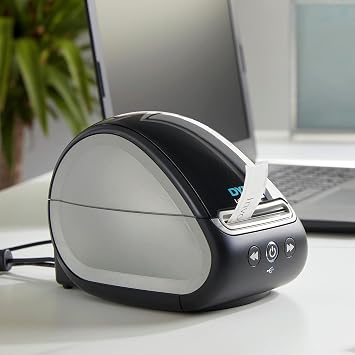
- Compact and ideal for modern workplaces
- Up to 20% faster than the LabelWriter 450
- Prints exact quantities to minimize waste
- Inkless and easy to use on PC and Mac
Ubuy Assurance
Experience worry-free shopping with 100% original products, PCI DSS-compliant payment security, ISO 27001-certified data protection, the fastest cross-border delivery, free returns *, and secure packaging on every order.